Mapping - Data automation rules
Introduction
The "mapping" functionality (also known as the "rules engine" within the Data Factory platform), allows users to create mapping rules between any tables (owned or shared).
WARNING
The ability to create mapping rules on fields on an owned table from the App interface is retricted by the frontApp_mapping_editDrawer_internal feature flag.
However with the Data Factory task rules-engine-import-rule, the creation of mapping rules on fields on an owned table is not limited. They can be created with the task.
Takeaway
- The mapping functionality allows users to create rules between tables
- The mapping engine is anterior to the formula engine. The two are quite similar, but the mapping engine is more limited in terms of functionality.
- The mapping rules are executed on demand only, via the Data Factory task rules-engine-execute-rules, contrary to the formula rules which are executed automatically on each item update.
Creating links between tables
In order to create data automation rules (dumping), users need to link the tables with which they wish to automate data.
To do so, users need to create a link from the target table (the table into which the data will be dumped) to one or more source tables. This link can be created from any table (owned or shared) to any table (owned or shared). To do so, they must click on the "Link tables" action from the table menu.
More details on linking tables can be found in the document on importing mapping rules.
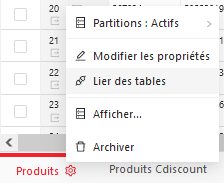
Creating data automation rules
To automate data flow between two tables, users need to define one or more rules for each attribute in the target table.
These rules cannot be created:
- On identifiers
- On internal tables
- On conditional formatting fields
In the above-mentioned cases, the button for creating data automation rules is not displayed to the user.
Otherwise, the automation rule creation action is available:
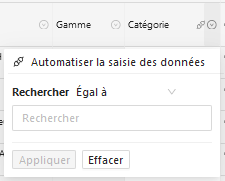
Skip field
TIP
The full documentation of this feature is detailed in the Learning Center, on the Rules Engine guide and the Data Factory task rules-engine-import-rules
WARNING
The ability to ignore target field rules is retricted by the mapping_skip_allowed feature flag.
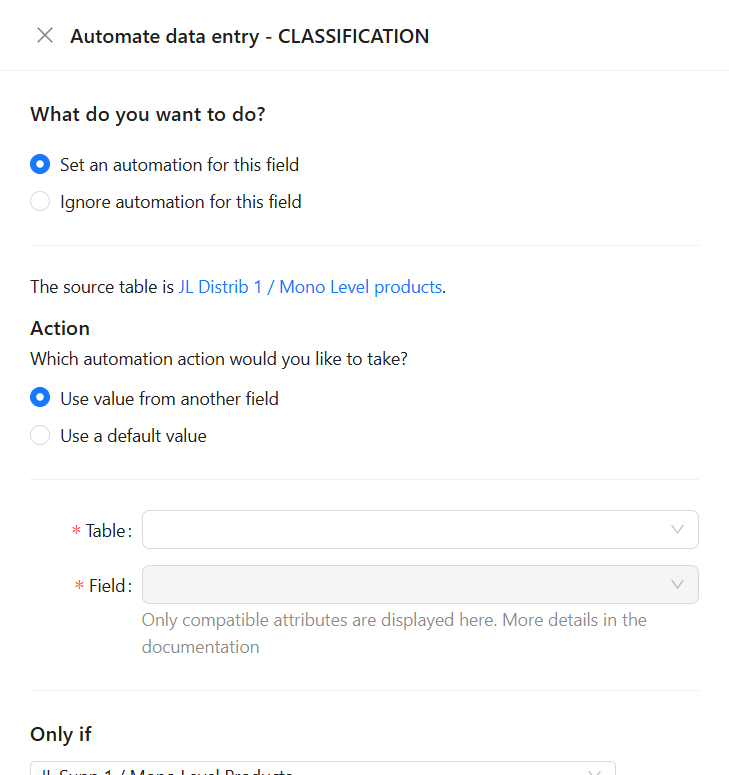
For any kind of field, it is possible to mark it as skipped, either with the Data Factory task rules-engine-import-rules or the App interface.
If one or no rule exists on the target field
If multiple rules exist on the target field
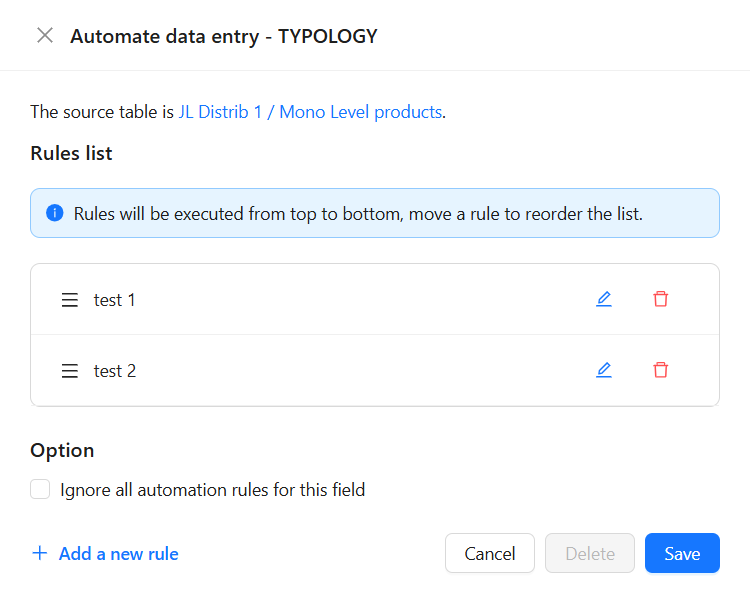
When a target field is skipped, no rule set on it is executed by the Data Factory task rules-engine-execute-rules.
The fact that a field is skipped is exported when exporting mapping rules on a target table.
Options mapping
When an attribute of type SINGLE-SELECT, MULTIPLE-SELECT, MULTIPLE-SELECT-QUANTIFIED and MULTIPLE-SELECT-QUANTIFIED-WITH-COMMENTS is mapped to another attribute of type SINGLE-SELECT, MULTIPLE-SELECT,MULTIPLE-SELECT-QUANTIFIEDandMULTIPLE-SELECT-QUANTIFIED-WITH-COMMENTS`, it is possible to define the mapping for each value.
Only mappings from source options to non-empty target options are retained, to avoid overwriting existing values with an empty value.
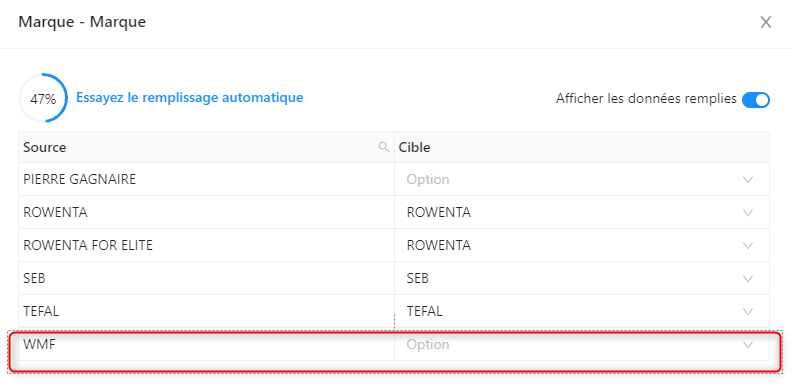
In this case, source items whose "Brand " option value is "WMF " will not update the "Brand " option value of target items.
Conditions
Add a " OR " condition
The user can define several sets of conditions for the execution of a rule, so that the rule is triggered if one or other set of conditions is met.
To do this, the user can click on the "+ Or" link, which will display a new set of conditions.
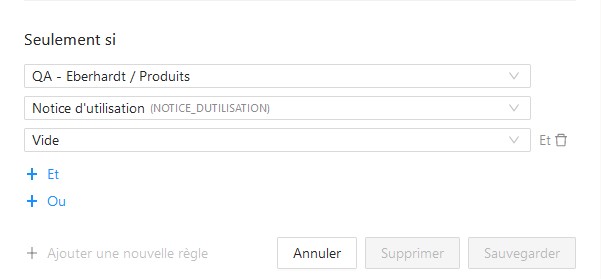
Condition without "Or" section
By default, when the user clicks on the "+ Or" link, he's prompted to select a table for the condition.
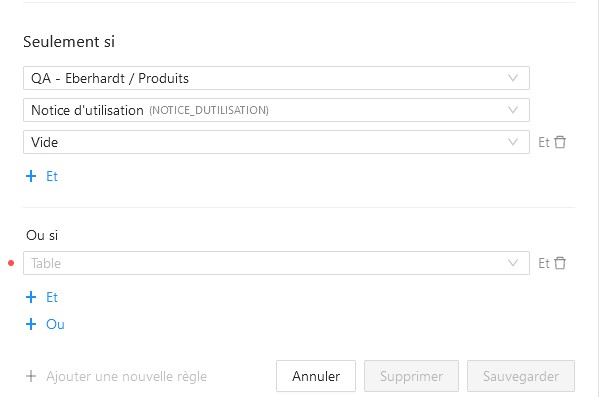
*Condition with "Or" section
Once the user has selected the table to be conditioned on, he can select the attribute to be conditioned on and how.
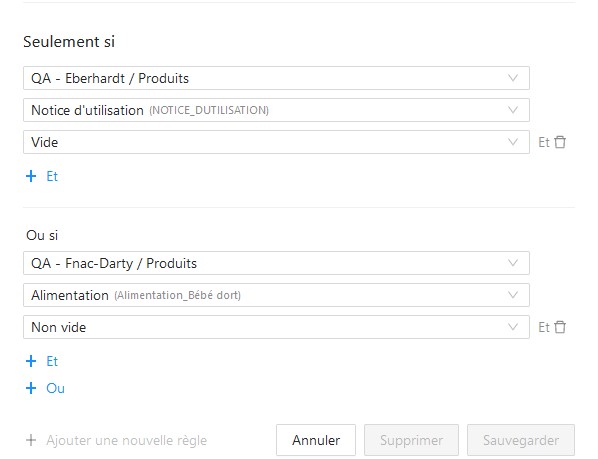
Condition with "Or" section filled in.
Details regarding the mapping rules execution
- The mapping rules are executed on demand only, via the Data Factory task rules-engine-execute-rules
- On a given item, mapping rules targeting a field are evaluated only if
- The field in question is a common field according to the matrix definition of the table
- The field in question is a field specific to the current item, according to the matrix definition of the table
- On a given item, mapping rules targeting a given specific property are NOT evaluated if the specific property is NOT a field specific to a category assigned to the current item according to the matrix definition.
Details regarding the creation and execution of mapping rules on tables with multiple levels
- More details on the subject of creating links between two tables in the mapping rule import document
- More details on the subject of importing mapping rules between multi-level tables in the rules import document
- More details on the subject of executing mapping rules between multi-level tables in the document dealing with the Data Factory task of executing mapping rules